One order, from request to pickup.
Here is a single custom cake order going through Cakulate, step by step: what you do, and what Cakulate does for you. Same flow whether you bake alone or run a shop with a team. Want the list of what sets it apart? See the features.
1Monday, 9:12 pm
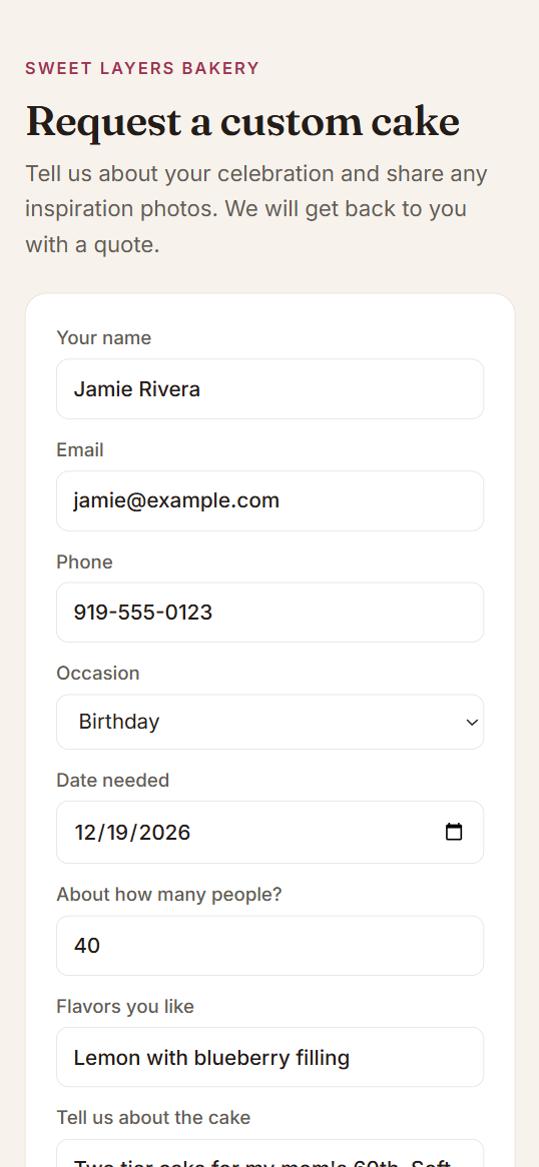
A request comes in
You: Nothing. You are off the clock.
Cakulate: Your customer fills in your order form from your Instagram bio: date, guest count, flavors, the design and their inspiration photos. It lands in your Quote History as a draft, with a new customer record and a thank-you email already sent. Got the order by DM instead? Paste the message into a new quote.
2Tuesday, 8:05 am
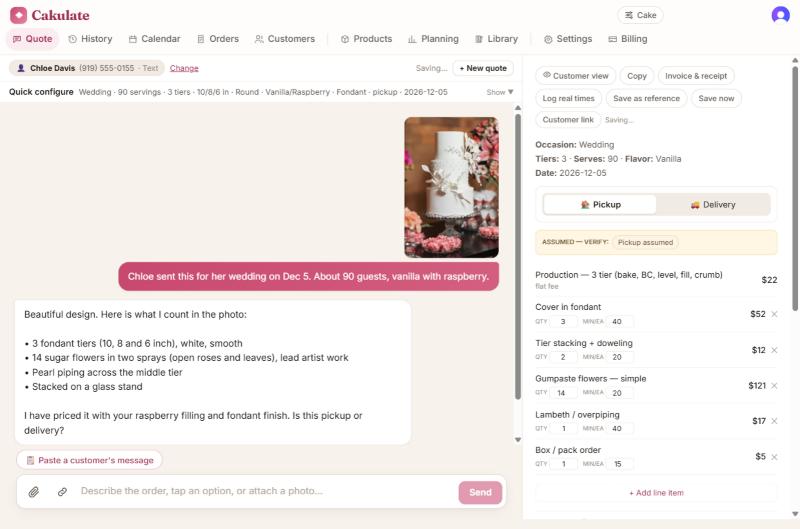
You open the draft and the work is already counted
You: Read what the assistant found and answer anything it asks, like pickup or delivery.
Cakulate: It reads the inspiration photo and the customer’s words, counts the tiers, flowers and piping, and turns each into a timed task from your library.
3Tuesday, 8:09 am
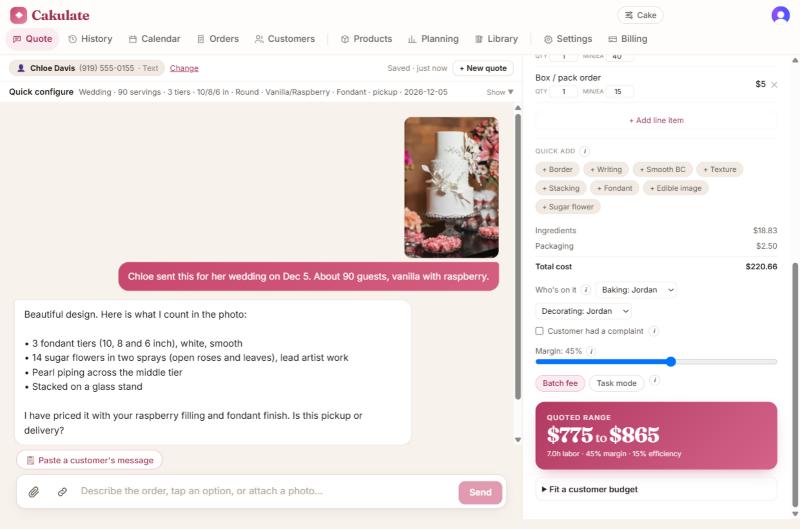
You check the price
You: Look over the lines, nudge a time or a quantity if your gut says so, and pick who is making it if you have a team.
Cakulate: Every task is priced at the right pay, whether that is you or someone on your team, with materials and your margin on top. Big wedding cakes are checked against your per-serving minimum.
4Tuesday, 8:11 am
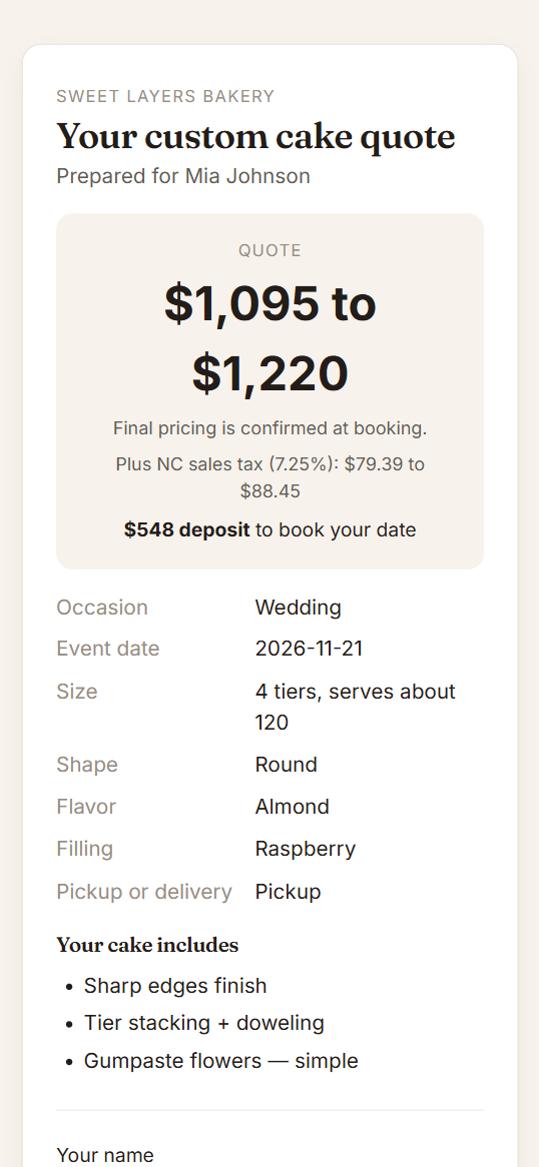
Your customer says yes from their phone
You: Press Customer link or Email to customer.
Cakulate: They see a clean quote with what is included, the price with sales tax and the deposit to book. They accept, pay through your link, and you get an email. If they go quiet, a friendly follow-up goes out on its own.
5The week of the event
The kitchen knows what to make
You: Open Calendar or Orders in the morning.
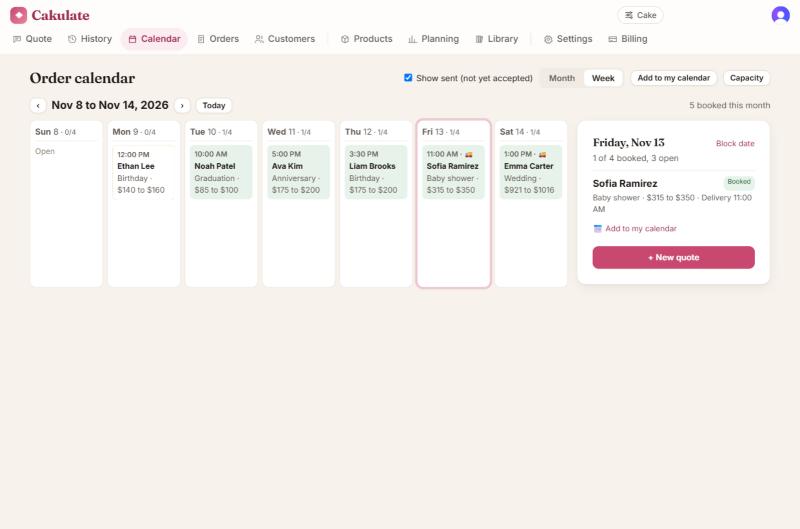
Cakulate: The order is on your calendar with its pickup time. Its work is laid out on the days before the event, your bake list and decoration punch list include it, and you are warned if the week is getting full for you or your team.
6Pickup day
Paid in full, with the paperwork done
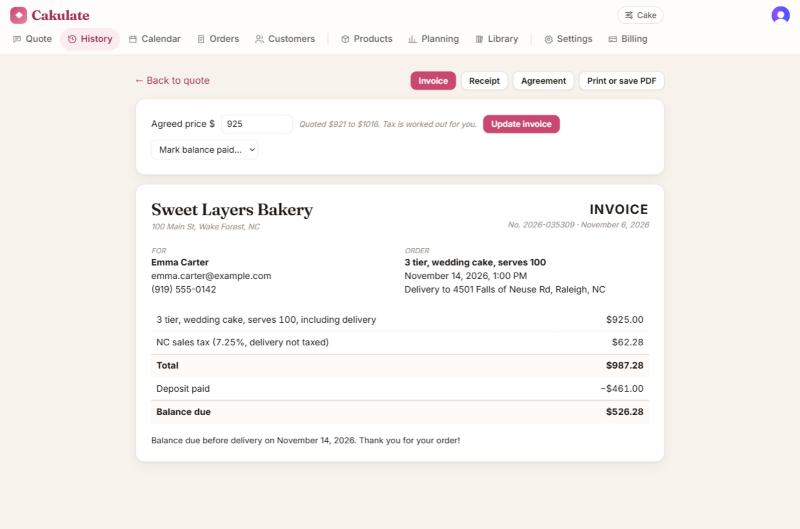
You: Hand over the cake. Mark the balance paid.
Cakulate: The invoice already shows sales tax and the deposit paid. The receipt updates when the balance is in, and the pickup reminder went out the day before.
7After the party
Next quote, a little more accurate
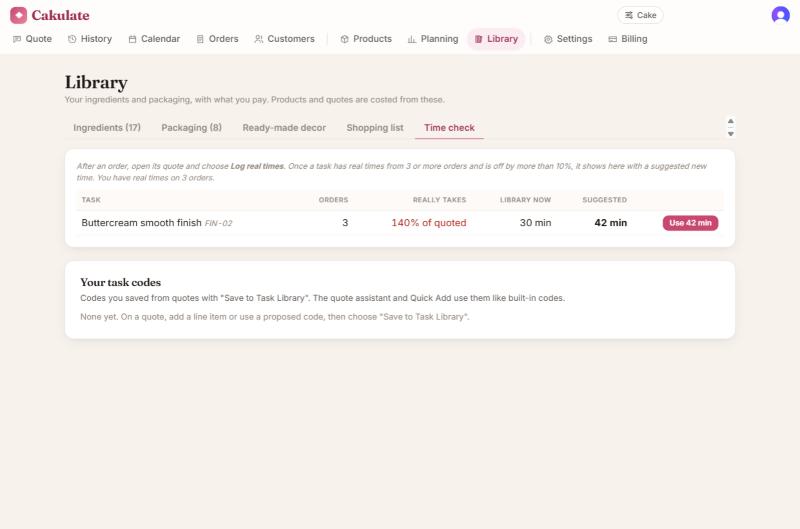
You: Log how long the tasks you timed really took. Thirty seconds.
Cakulate: Compares your logged times with what it quoted. When a task runs long or short on a few orders, it suggests a new time for it, and you approve it with one click. Every quote after that is closer to how you or your team really work. Happy customers also get a review request.
Run your next order through it.
Try every tool free for 7 days, with 3 AI photo quotes. Nothing is charged until the trial ends.